
Leave Reliever Settings

Employees can now easily designate a colleague to handle their responsibilities while they are away. The newly automated workflow ensures seamless transitions without manual back-and-forth
Step 1: Enable Leave Reliever Settings
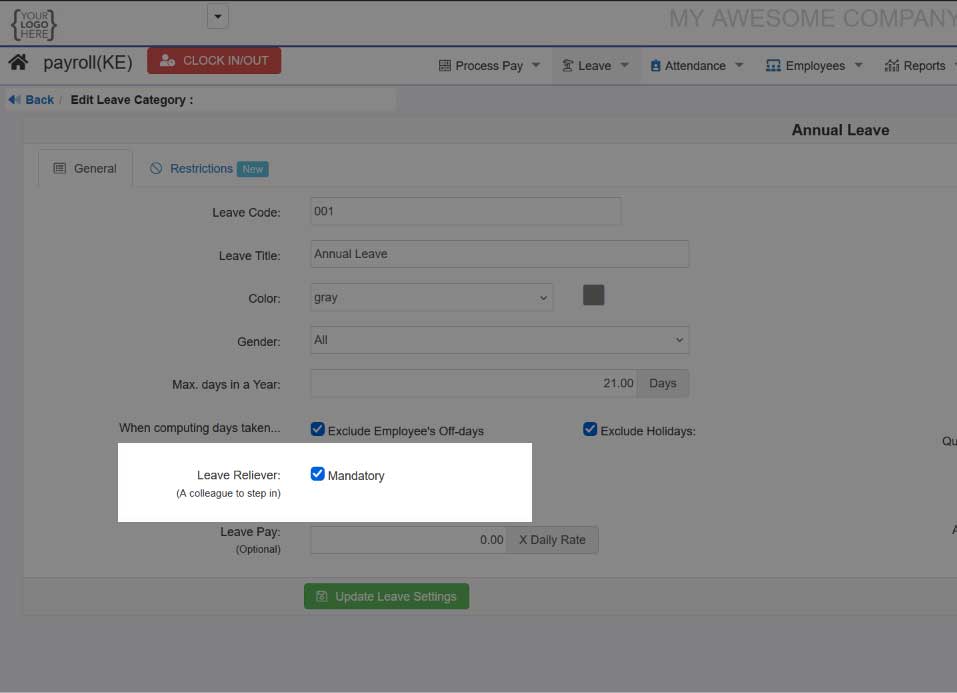
On the main menu, go to "Leave"=> "Leave Categories", click on title of required leave category, e.g. Annual Leave
Check the box for "Leave Reliever"
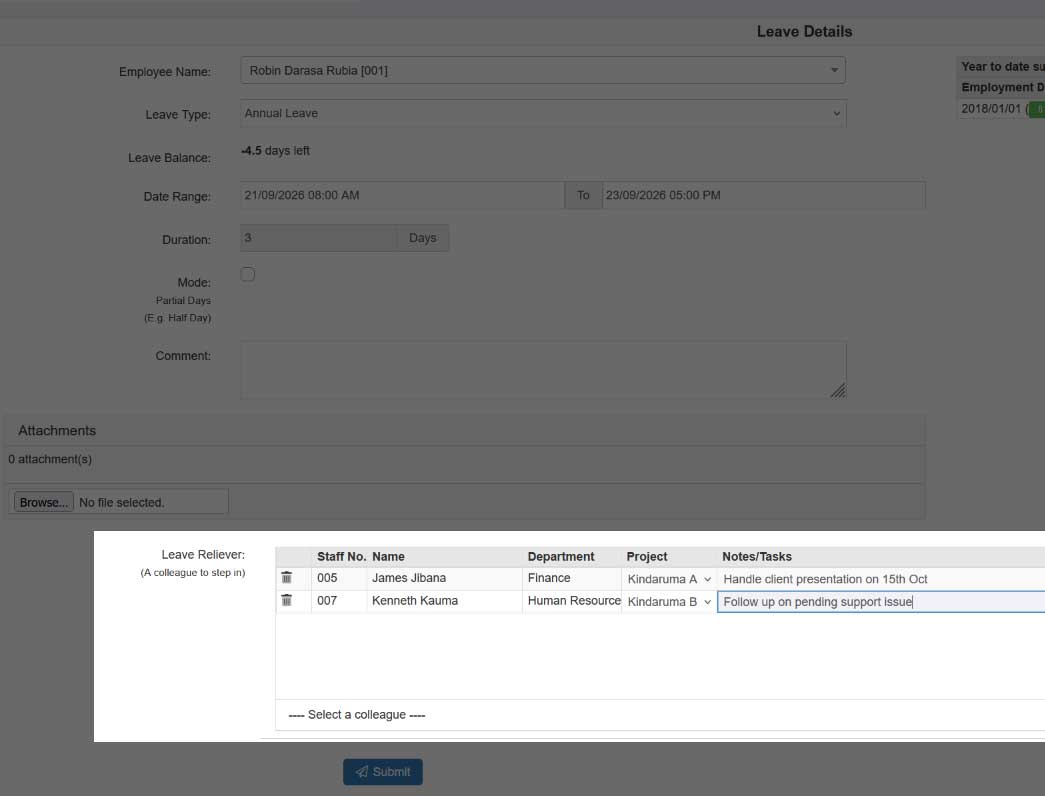
Step 2: Apply for leave
Now when an employee applies for leave it will reveal a section for select a leave reliever from list of his/her colleagues
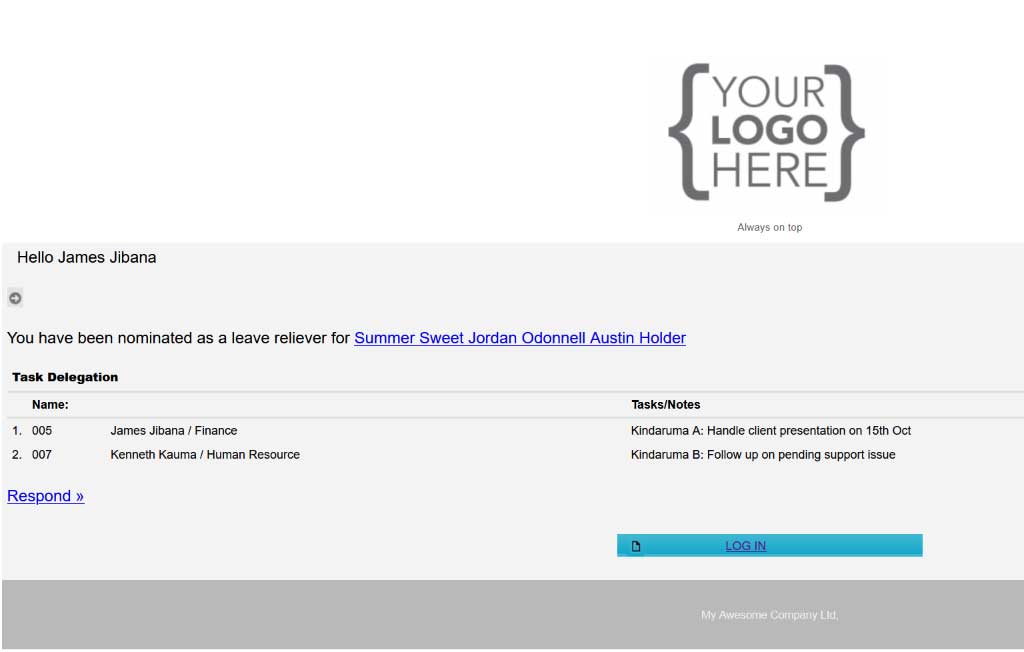
Step 4: Nominated persons will receive email notifications:
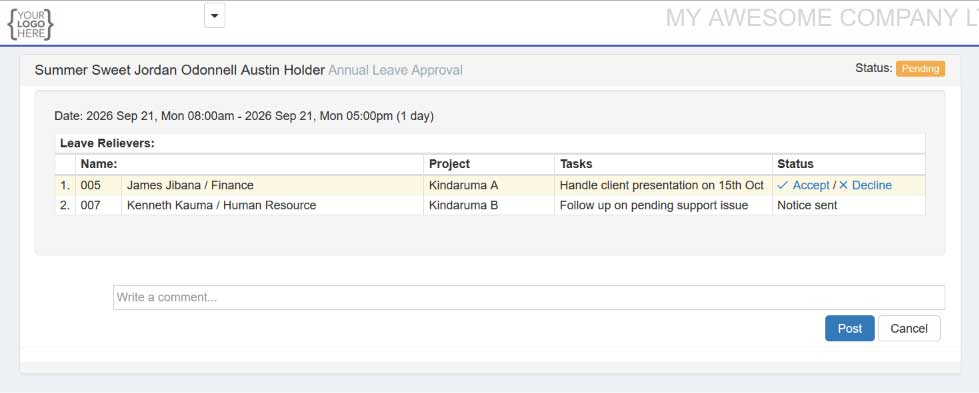
Step 5: Relievers will be able to select whether the accept/decline and also leave a comment
Click here to try Wingubox Leave Management today.
Latest posts

New Uganda PAYE rates 2026
2026.08.25

New NSSF Rates for 2026
2026.02.20
New NSSF Rates for 2025
2025.02.24